macOS Menu Bar App

Your focus,
made visible.

A privacy-first Focus Coach that lives in your menu bar. Track deep work, detect interruptions, and turn your focus into algorithmic art. Everything stays on your Mac.
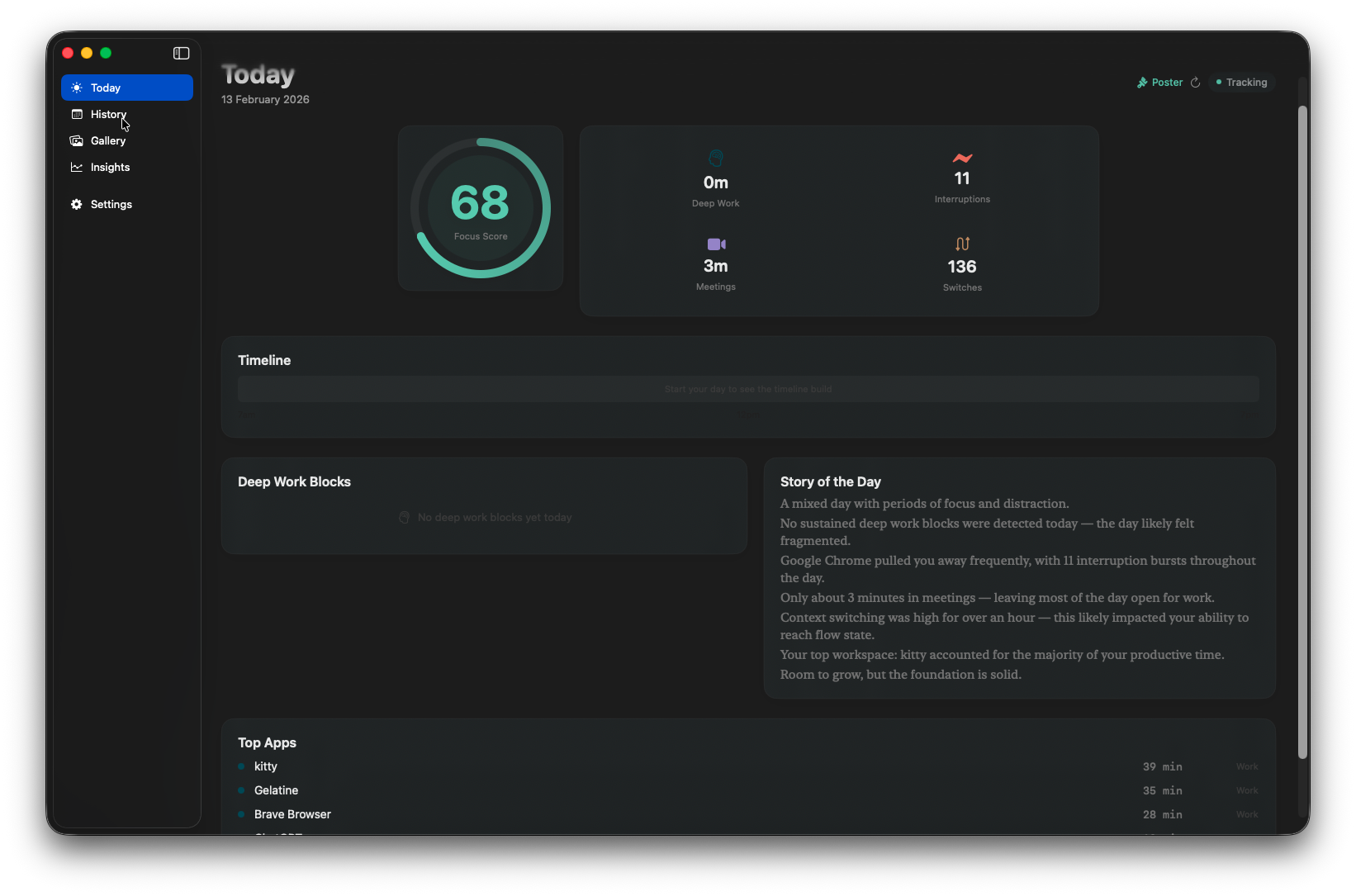
Today view — focus score, metrics, timeline, AI narrative
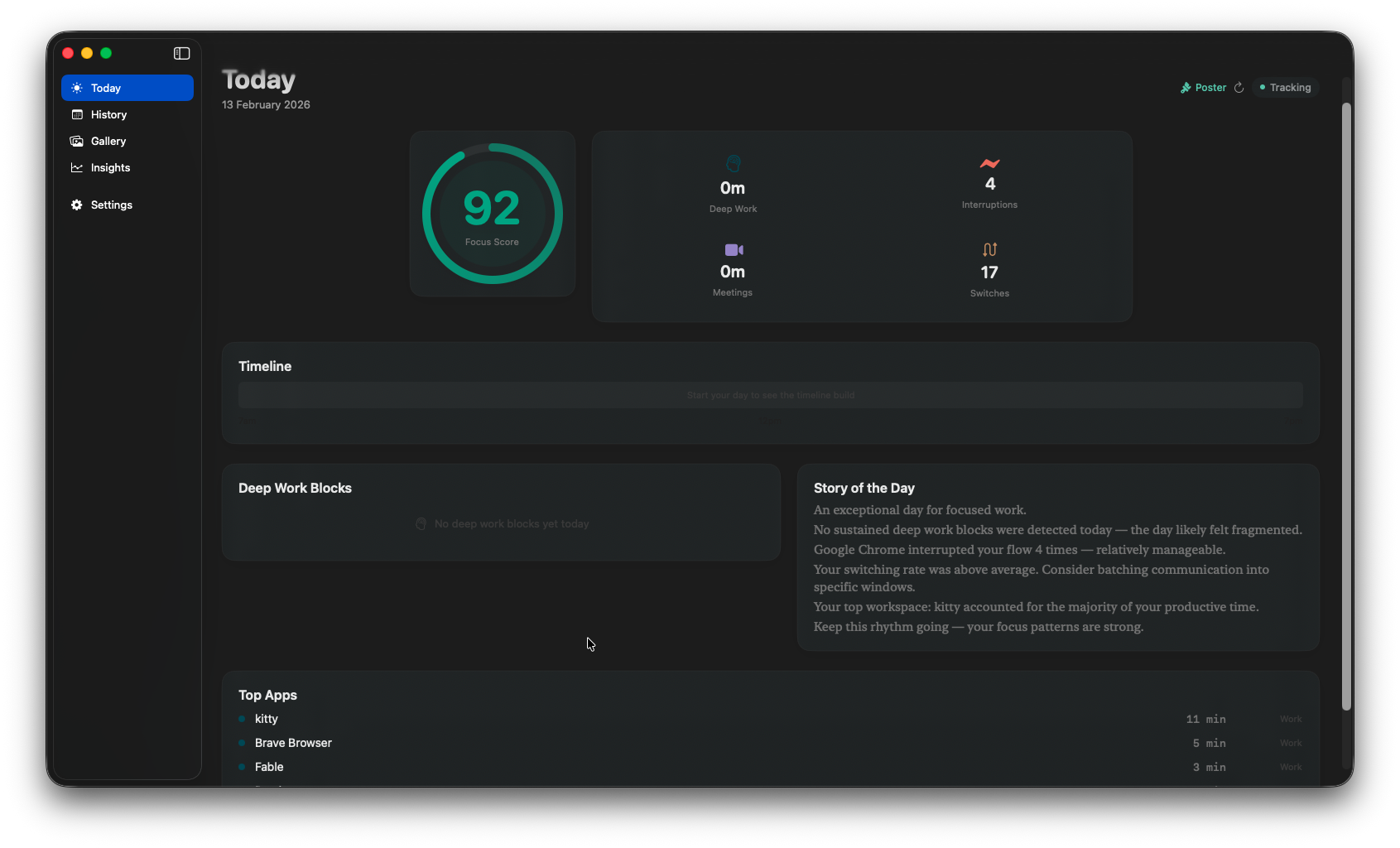
Today view — score 92, top apps, story of the day
History — color-coded calendar with day detail
Gallery — algorithmic art posters from focus data
Insights — weekly trends, streaks, patterns
Settings — privacy, idle threshold, license
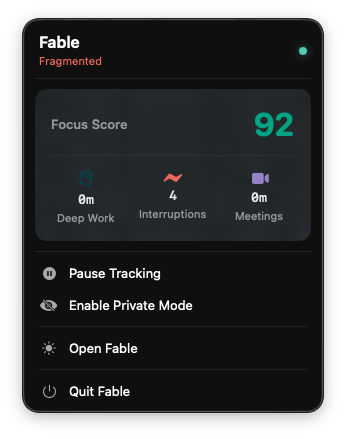
Menu bar popup — focus score and quick actions
Today Today History Gallery Insights Settings Menu Bar

Three steps. Zero setup.

Fable runs silently in your menu bar. No configuration needed — just launch and focus.

01

Sample

Every 10 seconds, Fable checks which app is in front and whether you're active or idle. That's all it needs.

02

Analyze

Five specialized detectors run in parallel — deep work, interruptions, meetings, context switching, and app durations.

03

Visualize

See your focus score, timeline, weekly trends, and generate beautiful algorithmic art posters from your data.

Everything you need to understand your focus.

Intelligent metrics, beautiful visualizations, and zero cloud dependency.

🎯

Focus Score

A daily 0–100 score computed from deep work, interruptions, meetings, and context switching. See your focus at a glance.

🧠

Deep Work Detection

Automatically identifies blocks of 25+ minutes of focused work. Tolerates brief interruptions so real work counts.

🔔

Interruption Tracking

Detects rapid A→B→A app switches — the pattern of getting pulled away and coming back. Counts every disruption.

📷

Meeting Time

Auto-detects time in Zoom, Teams, FaceTime, Webex, Google Meet, and Slack huddles. No manual logging.

🔀

Context Switching

Measured in rolling 10-minute windows. Highlights periods of heavy switching that fragment your attention.

🎨

Gallery Posters

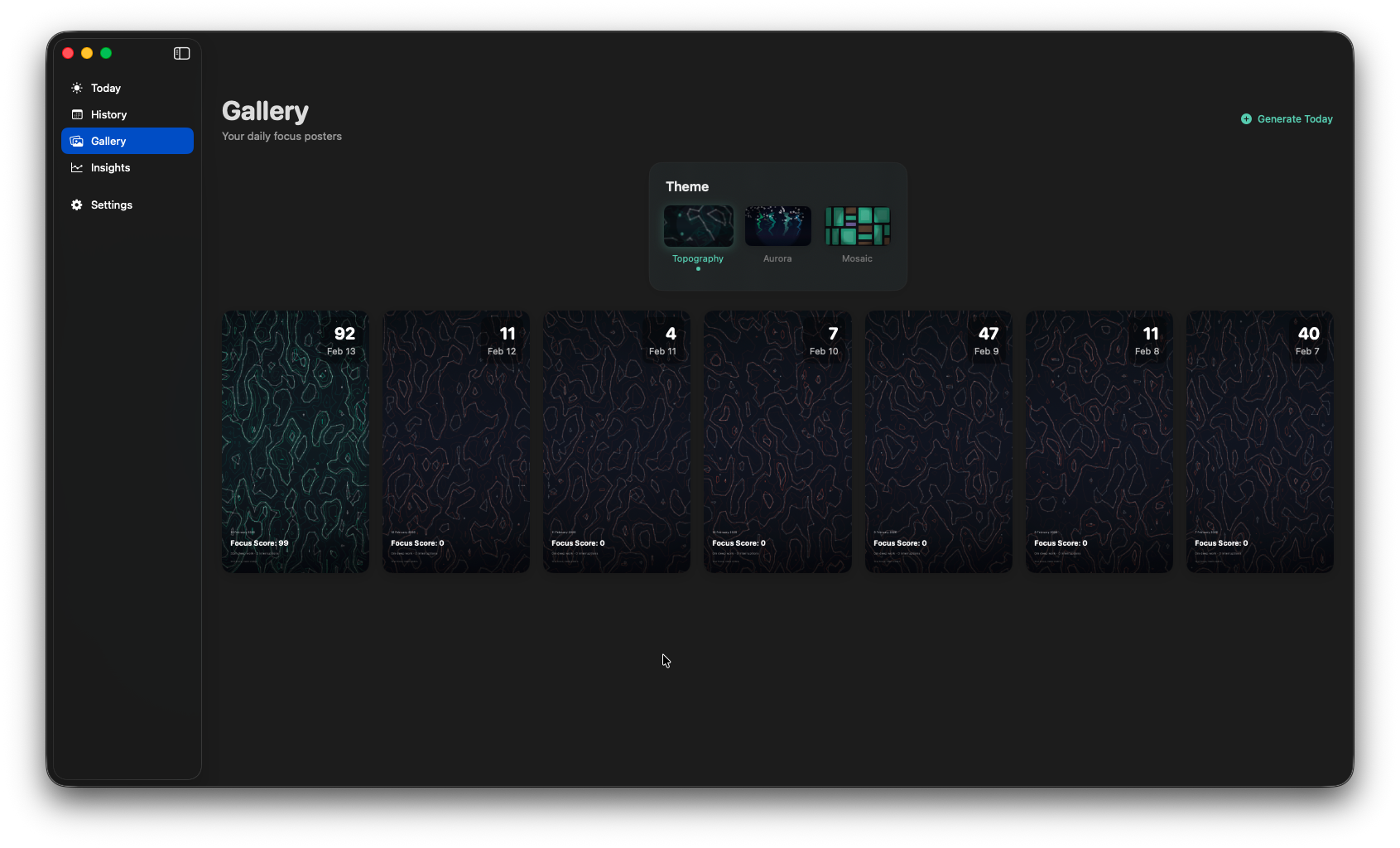
Turn your focus data into algorithmic art. Three themes — Topography, Aurora, and Mosaic — each tell a different visual story.

Five tabs. Every angle of your focus.

📈

Today

Your live focus dashboard. A prominent score gauge updates throughout the day, alongside a visual timeline, deep work blocks with time ranges, your top 5 apps with category badges, and an AI-generated narrative that tells the story of your day.

  • Focus gauge
  • Live timeline
  • Deep work blocks
  • Top apps
  • AI narrative
  • Quick stats
Today view
📅

History

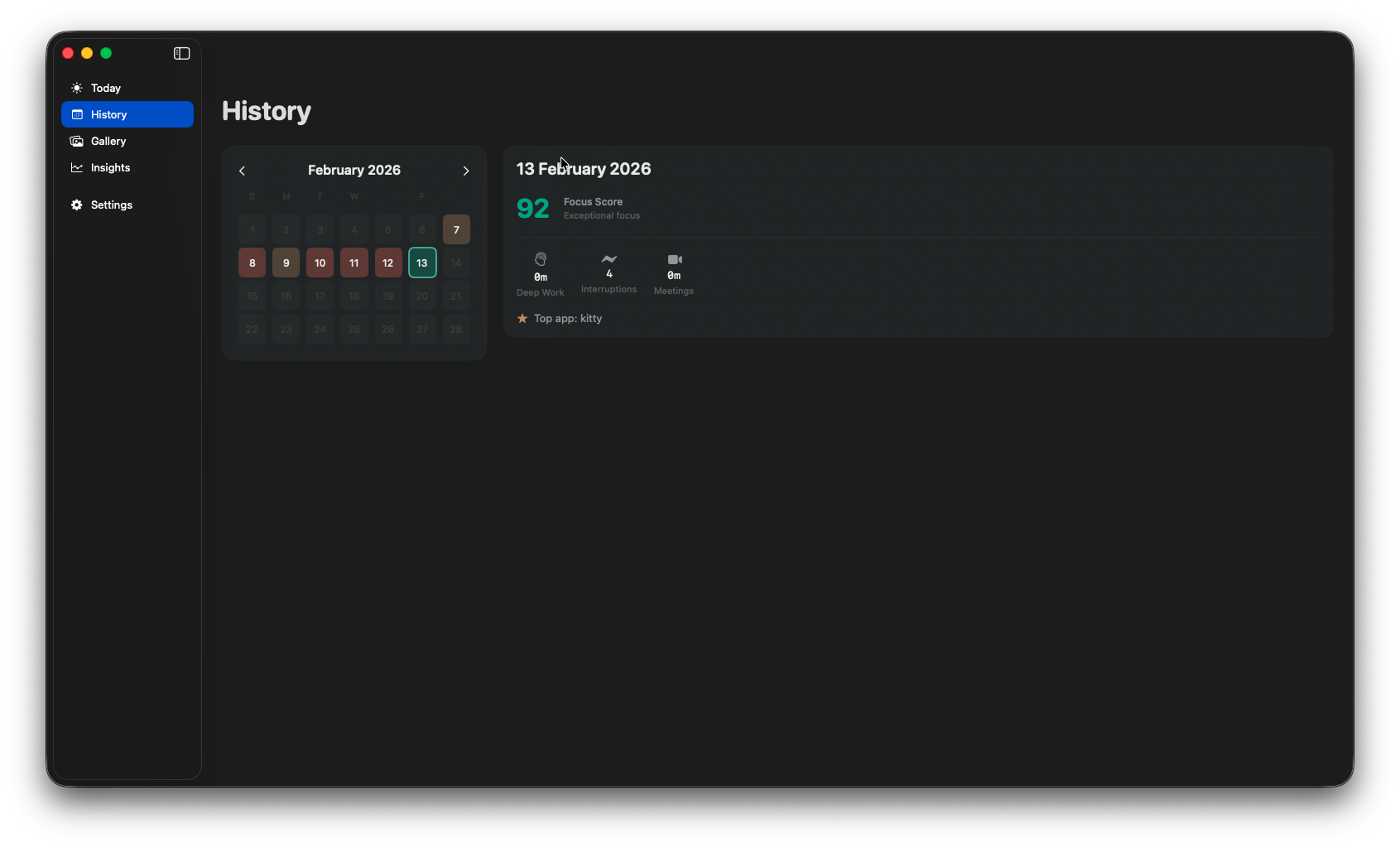
A calendar grid where each day is color-coded by focus score. Tap any day to see the full breakdown — score, deep work, meetings, interruptions, and top apps. Scroll through up to 30 days of your focus journey.

  • Color calendar
  • Day detail
  • 30-day history
  • Score comparison
History view
💡

Insights

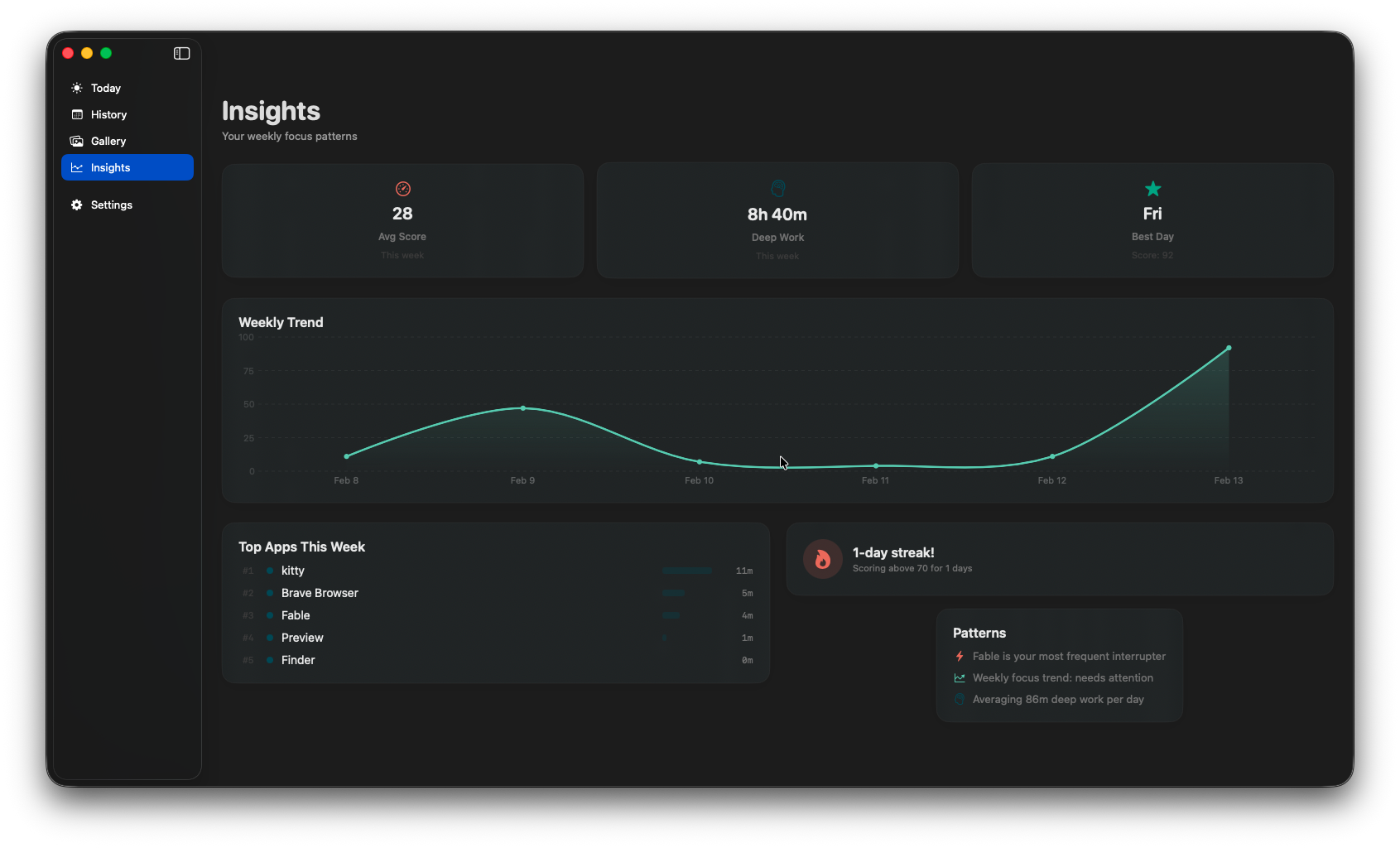
Weekly summaries that surface patterns in your work. Average focus score, total deep work hours, your best day, focus streaks, most frequent interrupter app, and whether your focus trend is improving or needs attention.

  • Weekly trends
  • Focus streaks
  • Top interrupters
  • Best day
  • Trend analysis
Insights view
⚙️

Settings

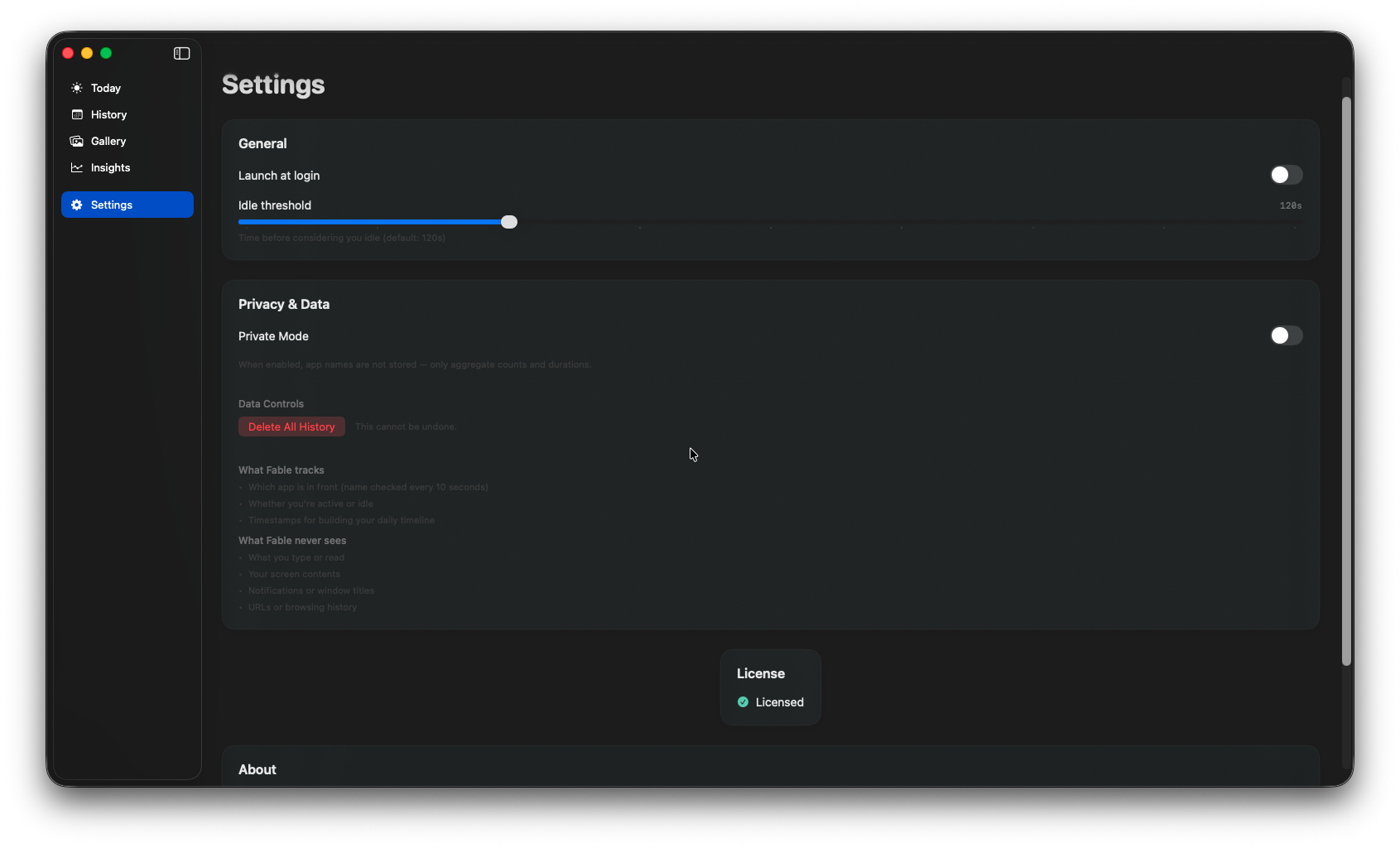
Fine-tune Fable to fit your workflow. Adjust the idle timeout, toggle private mode, set launch-at-login, manage your license key, and see exactly what Fable tracks (and what it never sees).

  • Idle threshold
  • Private mode
  • Launch at login
  • License key
  • Delete history
Settings view

Your data never leaves your Mac.

No accounts. No cloud sync. No telemetry. Fable works 100% offline.

What Fable sees

  • Which app is in front (checked every 10 seconds)
  • Whether you're active or idle
  • Timestamps for building your daily timeline

What Fable never sees

  • What you type or read
  • Screen contents or screenshots
  • URLs or browsing history
  • Notifications or window titles

Pause Tracking

Completely stops the sampling engine. Zero data is collected — nothing at all. Use this for breaks, lunch, or any time you want Fable to go fully silent.

Private Mode

Sampling continues, but app names are not stored — only aggregate counts and durations. You still get focus insights (score, deep work, switches) but with complete anonymity.

Everything stays on your Mac. No accounts. No cloud. No telemetry. Ever.

How your metrics are calculated.

Transparent formulas. No black boxes.

Your score starts at 100 and adjusts based on four factors throughout the day. Deep work earns bonus points, while interruptions, meetings, and heavy context switching apply penalties.

Score = 100
  + deep work bonus    (+1 per 10 min, cap +15)
  - interruption penalty (-2 each, cap -30)
  - meeting penalty     (-1 per 5 min, cap -25)
  - switching penalty   (-10 at 60 min, -20 at 120 min)

A continuous block of 25+ minutes focused on a task, using no more than 4 apps. Up to 3 brief interruptions (under 30 seconds each) are tolerated — because real focus has small breaks.

Detected as rapid A→B→A app switches: you leave an app, visit another, and return within 120 seconds. Clustered switches within a 3-minute window count as a single burst.

Automatically counted when the frontmost app is a known meeting tool: Zoom, Microsoft Teams, FaceTime, Cisco Webex, Google Meet, or Slack huddles. No manual timers needed.

Measured in rolling 10-minute windows with 50% overlap. A window with 6 or more app switches is flagged as “high switching” — a signal that your attention is fragmented.

Simple, fair pricing.

Try Fable free for 7 days. If it helps your focus, keep it forever.

Free Trial
$0 / 7 days

Full access to every feature for one week. No credit card required.

  • Focus score & all metrics
  • Today, History, Gallery, Insights
  • All three poster themes
  • Private mode & pause tracking
  • 100% offline — no account
Download Free